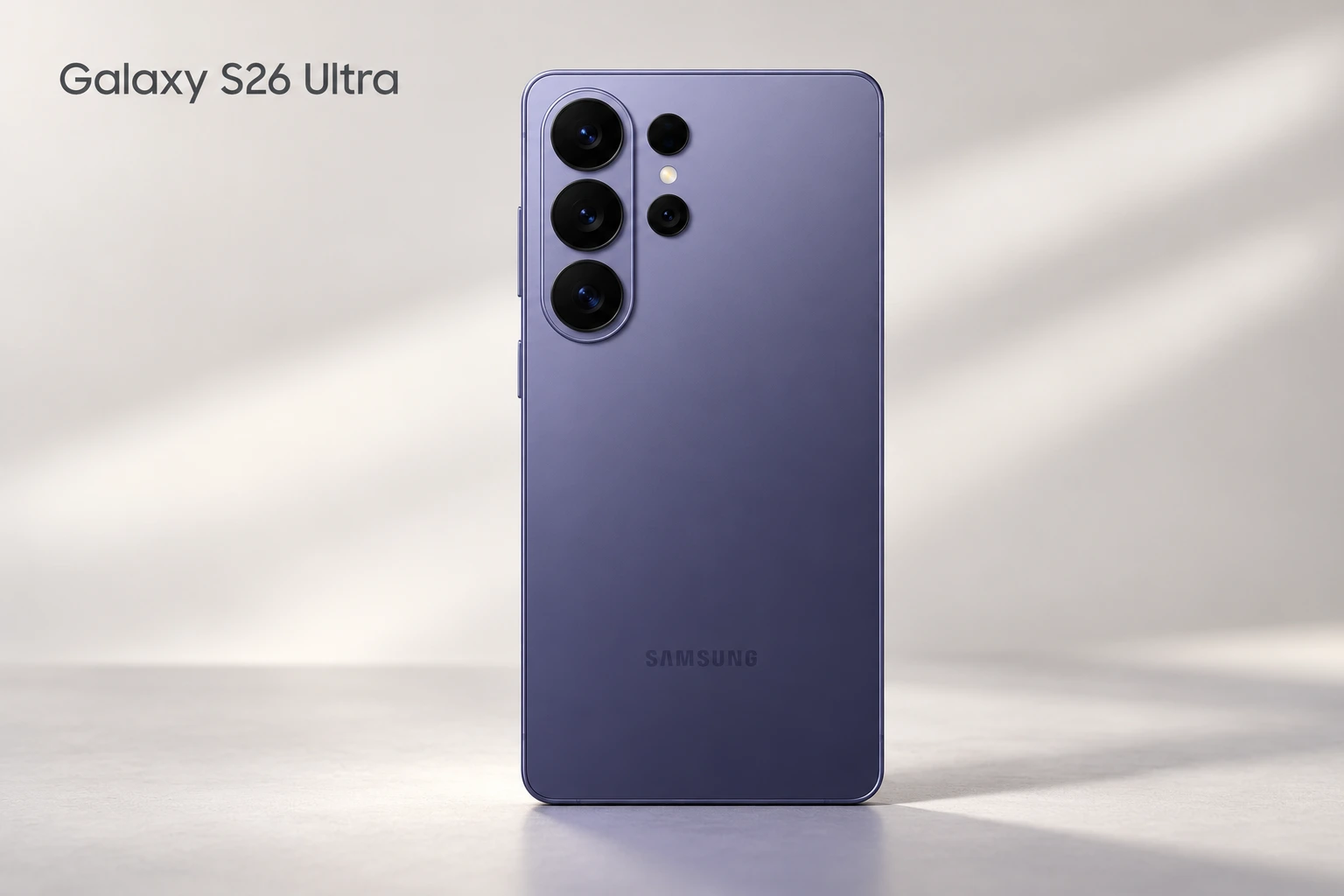
Galaxy S26 Ultra: A Flagship Built Around More Than Camera Numbers
Samsung’s 2026 Ultra combines a large work-friendly screen with an integrated stylus, versatile photography and a display feature aimed at everyday privacy. Its appeal is the breadth of the package: a phone for writing notes, editing images, playing games and handling demanding daily work.
This TrainerMods overview explains the published hardware and the practical questions buyers should ask before paying flagship prices. It focuses on the Ultra; specifications from the smaller Galaxy S26 and S26+ should not be substituted for this model.
Samsung Galaxy S26 Ultra: Full Specifications
| Feature | Specification |
|---|---|
| Generation | 2026 Galaxy S flagship |
| Processor | Snapdragon 8 Elite Gen 5 for Galaxy, 3nm |
| Software at launch | Android 16, One UI 8.5 |
| Display | 6.9-inch QHD+ Dynamic AMOLED 2X |
| Refresh rate | Adaptive 1–120Hz |
| Brightness | 2600 nits peak |
| Memory / storage | 12GB: 256GB or 512GB; 16GB: 1TB, market dependent |
| Rear imaging | 200MP main; 50MP ultra-wide; 10MP 3x; 50MP 5x |
| Front camera | 12MP autofocus |
| Battery | 5000mAh typical |
| Charging | Up to 60W wired; up to 25W wireless |
| Dimensions / weight | 163.6 × 78.1 × 7.9mm; 214g |
| Protection | IP68 |
| Connectivity | 5G, Wi-Fi 7, Bluetooth 6.0, UWB |
Design: Large, Slim and Practical
The rounded body and narrow vertical camera grouping give the S26 Ultra a recognizable shape without the enormous circular camera housing seen on several photography rivals. Samsung lists an Armor Aluminum frame, and the built-in S Pen remains a useful distinction for people who annotate documents or jot down ideas.
A large phone still needs a real handling check. Try reaching the upper corners, typing with one hand and holding it horizontally before buying. A protective case adds bulk, while a camera lip can change how comfortably the device sits on a desk. The best design is the one that fits your own routine.

Official product image: Samsung. Color availability varies.
Display: What Privacy Display Actually Adds
The distinctive feature is a built-in mode that limits visibility from side angles. Samsung allows activation for the whole screen or selected situations such as certain apps and notification pop-ups. This could be useful on public transport or in a busy office, where nearby viewers can otherwise see sensitive material.
Treat it as an extra viewing-angle control, rather than a promise that nobody can ever see the display. Viewing position and brightness still matter. For shared photos or videos, switch it off so people beside you can see normally.
The adaptive OLED panel also suits scrolling and video. Peak brightness describes a particular operating condition; it does not mean every part of a white webpage stays at that level indefinitely. Check readability, reflections and text size in person instead of choosing only by a brightness headline.
Performance and Gaming: Look Beyond Peak Speed
The customized Snapdragon platform gives the Ultra the foundations expected of a premium Android phone. However, opening an app quickly and sustaining a heavy game are different workloads. Thermal design, room temperature, software and power settings affect the longer session.
For PUBG Mobile, Call of Duty: Mobile or demanding open-world games, check which graphics modes and frame-rate limits the actual game enables. A high-refresh display does not remove software caps. Stable frame times, touch behavior and comfortable surface temperatures can matter more than a brief maximum score.
Buy enough storage for your habits. Large games, offline video and camera files compete for the same space, and the operating system already uses part of the advertised capacity. Extra RAM is useful in some workloads but should not replace a realistic assessment of storage needs.
Camera System: Four Rear Cameras With Different Jobs
| Camera | Role |
|---|---|
| 200MP main, f/1.4 | Everyday scenes and low-light capture |
| 50MP ultra-wide, f/1.9 | Interiors, groups and landscapes |
| 10MP 3x telephoto, f/2.4 | Moderate zoom and portraits |
| 50MP 5x telephoto, f/2.9 | Distant subjects |
| 12MP front, f/2.2 | Selfies and video calls |
Zoom and Video: Understand the Distinctions
Separate optical focal lengths are useful because they offer different framing without moving closer to a subject. Samsung distinguishes optical zoom from optical-quality cropping; neither label should be confused with the maximum digital magnification advertised in marketing.
When comparing sample photographs, look at moving people, indoor skin tones and the transitions between cameras. A detailed building in bright sunshine tells you less about family photography than a child moving in a dim room. Optical stabilization helps with hand movement, but it cannot freeze a moving subject by itself.
Video options include 8K capture and high-frame-rate 4K modes, with mode restrictions. For most people, reliable focus, stabilization, audio and manageable file sizes matter more than selecting the largest resolution. Test the exact camera and mode you plan to use.
Battery and Charging: Plan Around Your Day
Battery capacity is one part of endurance. Navigation in poor reception, recording video and high screen brightness can drain any premium phone quickly. Manufacturer playback claims should be treated as controlled comparisons, not a prediction of your own screen-on time.
Maximum charging power also needs compatible equipment. A charger labeled with a high wattage does not guarantee the phone will negotiate its best charging mode. Check the adapter and cable requirements, and remember that power usually changes during the charging cycle. Wireless charging adds convenience but requires a suitable pad.
One UI, Galaxy AI and Long-Term Use
Samsung’s software combines multitasking tools with AI-assisted search, editing and organization. Feature availability depends on language, region, accounts and services. Try the tools that matter to you instead of assuming every demonstration is available in every market.
The announced update commitment covers seven generations of operating-system upgrades and seven years of security updates from global launch. For a buyer keeping a phone for years, repair availability, replacement-battery cost and local warranty service also belong in the decision.
Connectivity, Audio and Protection
Check your carrier’s bands, SIM arrangement and supported services for the exact regional model. Modern wireless standards need compatible networks and accessories to deliver their full benefit. For calls and gaming, a stable connection is usually more valuable than a theoretical maximum speed.
The speakers are useful for casual media, while headphones remain the better way to assess positional game audio privately. IP68 is a laboratory resistance rating, not a reason to deliberately immerse the phone; resistance can diminish with wear.
Main Advantages and Considerations
| Advantages | Considerations |
|---|---|
| Integrated S Pen and large workspace | Body size may require two hands |
| Privacy-focused display controls | Side-angle privacy has practical limits |
| Multiple native camera focal lengths | Extreme digital zoom needs realistic expectations |
| Long announced software support | Local repair and warranty still matter |
Who Should Consider It?
The Ultra makes the most sense for someone who will use its broad set of tools: note-taking, photography, multitasking and a large display. A buyer who only messages, browses and streams may get little practical return from the premium.
Compare the total cost including case, charger and storage tier. There is no universal best flagship; choose the one whose distinctive features solve an actual problem in your day.
Final Thoughts
Galaxy S26 Ultra is a versatile premium phone whose strongest argument is the combination of productivity, camera flexibility and display controls. Independent endurance, image-quality and sustained-performance tests should decide any claim that it is best in class.
Official Sources and Further Reading
- Samsung official specifications
- Samsung Galaxy S26 Ultra product information
- Samsung official charging comparison
- Samsung launch announcement and software support
Editorial note: This is a specifications-based overview, not a hands-on review. Manufacturer figures are not independent test results. Checked on October 28, 2026. Configurations, services and accessories vary by market. The cover is an AI-created editorial illustration based on official product imagery.